

Compositional Layout과 Diffable DataSource를 학습하면서
하나의 CollectionView를 서로 다른 CustomCell 2개를 이용해서 구성하고 싶어졌다.
그런데, 예상치 못한 런타임 에러가 나면서 앱이 강제종료됐다.
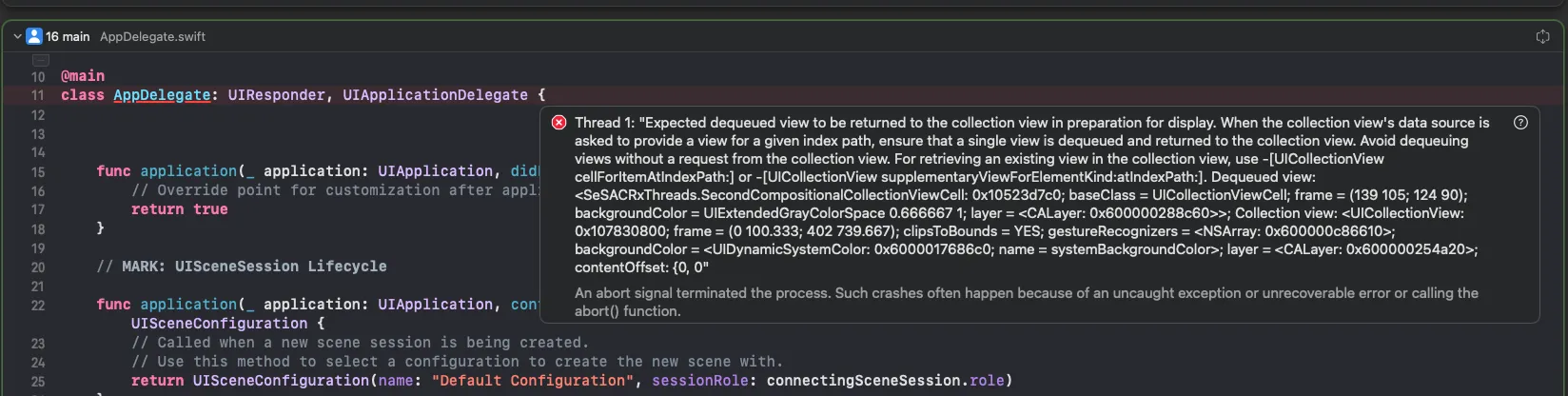
Thread 1: "Expected dequeued view to be returned to the collection view in preparation for display. When the collection view's data source is asked to provide a view for a given index path, ensure that a single view is dequeued and returned to the collection view. Avoid dequeuing views without a request from the collection view. For retrieving an existing view in the collection view, use -[UICollectionView cellForItemAtIndexPath:] or -[UICollectionView supplementaryViewForElementKind:atIndexPath:].
찾아보니 Xcode16과 iOS18 환경에서 빌드할 경우 나타날 수 있는 에러같아서,
에러가 발생하는 상황과 해결방법을 소개하려고 한다.
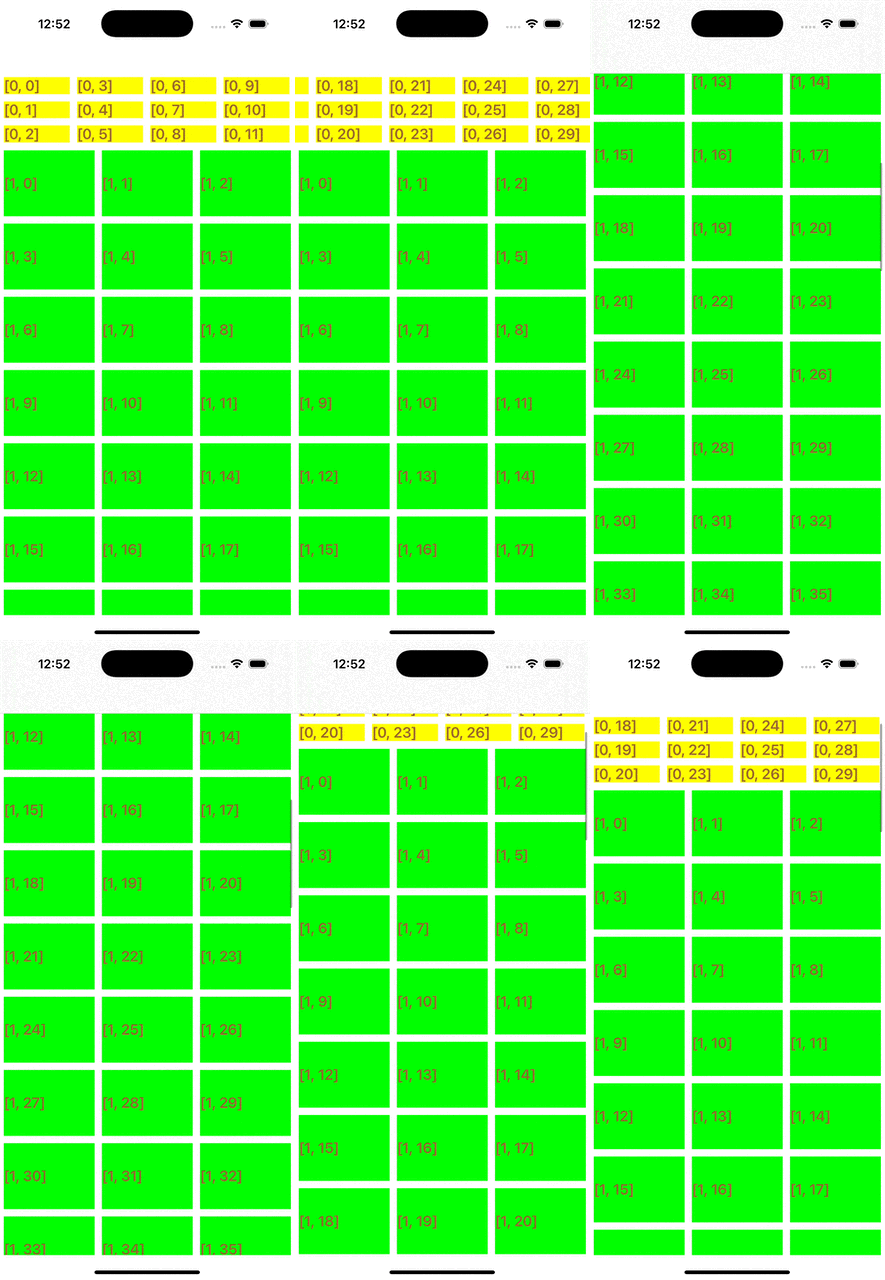
Diffable DataSource를 이용해 서로 다른 Cell로 CollectionView 구성하기
다음과 같은 구성으로 CollectionView를 구성하려고 했었다.
import UIKit

class CompositionalViewController: UIViewController {

    // ✅ 각 Section을 구분할 열거형
    enum Section: Int, CaseIterable {
        case first
        case second
    }

    lazy var collectionView = UICollectionView(frame: .zero, collectionViewLayout: createLayout())

    private var dataSource: UICollectionViewDiffableDataSource<Section, Int>!

    // ✅ 첫 번째 섹션에 들어갈 데이터
    private var list = Array(1...100)
    // ✅ 두 번째 섹션에 들어갈 데이터
    private var secondList = Array(10000...10100)

    override func viewDidLoad() {
        super.viewDidLoad()
        configureDataSource()
        updateSnapshot()
    }

    // ✅ snapshot생성 및 적용
    private func updateSnapshot() {
        var snapshot = NSDiffableDataSourceSnapshot<Section, Int>()
        snapshot.appendSections(Section.allCases)
        snapshot.appendItems(list, toSection: .first)
        snapshot.appendItems(secondList, toSection: .second)

        dataSource.apply(snapshot)
    }

    private func configureDataSource() {
    	// ✅ 첫 번째 Cell 등록
        let cellRegistration = UICollectionView.CellRegistration<CompositionalCollectionViewCell, Int> { cell, indexPath, itemIdentifier in

            cell.label.text = "\(indexPath)"
        }

        // ✅ 두 번째 Cell 등록
        let secondCellRegistration = UICollectionView.CellRegistration<SecondCompositionalCollectionViewCell, Int> { cell, indexPath, itemIdentifier in

            cell.label.text = "\(indexPath)"
        }

        // ✅ Diffable DataSource 생성
        dataSource = UICollectionViewDiffableDataSource(collectionView: collectionView) { collectionView, indexPath, itemIdentifier in
            let cell = collectionView.dequeueConfiguredReusableCell(using: cellRegistration, for: indexPath, item: itemIdentifier)
            let secondCell = collectionView.dequeueConfiguredReusableCell(using: secondCellRegistration, for: indexPath, item: itemIdentifier)
            print("ReusableCell", indexPath)

            // ❗️Section에 따라 dequeue할 Cell 분기처리
            return Section(rawValue: 0) == .first ? cell : secondCell
        }
    }

    // ✅ Compositional Layout 섹션별로 각각 다른 레이아웃 지정
    private func createLayout() -> UICollectionViewLayout {
        let layout = UICollectionViewCompositionalLayout { sectionIndex, _ in

            // 각 sectionIndex마다 어떤 레이아웃을 보여줄지 설정
            if sectionIndex == 0 {

                // 내부 외부 그룹 레이아웃
                let itemSize = NSCollectionLayoutSize(widthDimension: .fractionalWidth(1.0), heightDimension: .fractionalHeight(1/3))

                let item = NSCollectionLayoutItem(layoutSize: itemSize)
                item.contentInsets = NSDirectionalEdgeInsets(top: 5, leading: 5, bottom: 5, trailing: 5)

                let innerGroupSize = NSCollectionLayoutSize(widthDimension: .fractionalWidth(1/3), heightDimension: .fractionalHeight(1.0))

                let innerGroup = NSCollectionLayoutGroup.vertical(layoutSize: innerGroupSize, subitems: [item])

                let groupSize = NSCollectionLayoutSize(widthDimension: .absolute(300), heightDimension: .absolute(100))

                let group = NSCollectionLayoutGroup.horizontal(layoutSize: groupSize, subitems: [innerGroup])

                let section = NSCollectionLayoutSection(group: group)
                section.orthogonalScrollingBehavior = .groupPaging

                return section
            } else {

                // 수직 레이아웃
                let itemSize = NSCollectionLayoutSize(widthDimension: .fractionalWidth(1/3), heightDimension: .fractionalHeight(1.0))

                let item = NSCollectionLayoutItem(layoutSize: itemSize)
                item.contentInsets = NSDirectionalEdgeInsets(top: 5, leading: 5, bottom: 5, trailing: 5)

                let groupSize = NSCollectionLayoutSize(widthDimension: .fractionalWidth(1.0), heightDimension: .absolute(100))

                let group = NSCollectionLayoutGroup.horizontal(layoutSize: groupSize, subitems: [item])

                let section = NSCollectionLayoutSection(group: group)

                return section
            }
        }

        return layout
    }
}
필요한 부분만 설명하자면
- 각 섹션을 Section이라는 열거형으로 구분
- Cell 등록시 각각 CompositionalCollectionViewCell과 SecondCompositionalCollectionViewCell로 별도의 커스텀 Cell로 등록 ➡️ 각 Cell은 배경색만 서로 다른 형태로 구성
- Diffable DataSource 생성시, Section열거형에 따라 dequeue할 cell을 분기처리 ➡️ 각 섹션마다 서로 다른 cell을 dequeue하기위함
- snapshot 적용시 첫 번째 섹션엔 list데이터를, 두 번째 섹션에 secondList 데이터를 적용
- Compositional Layout을 통해 각 섹션에 표시될 레이아웃을 별도로 구성(이 글에서는 중요하지 않음)
이 상황에서 빌드를 하니 다음과 같은 런타임 에러가 발생하면서 앱이 강제종료됐다..!
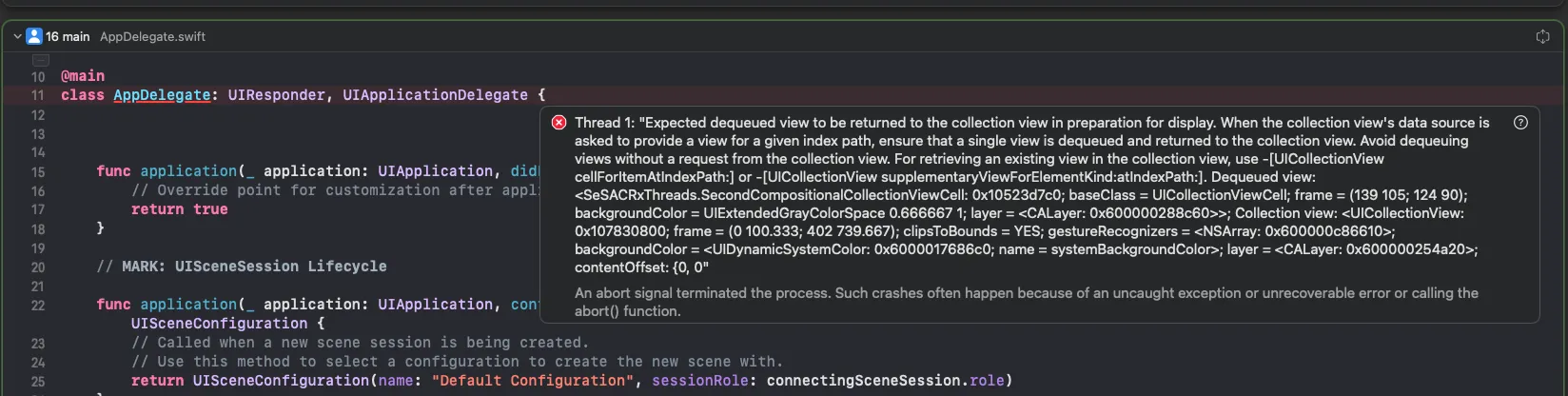
Xcode16 및 iOS18 환경에서 발생할 수 있는 에러
결론부터 말하자면, Xcode16 및 iOS18환경에서 CollectionView의 cell의 dequeue와 관련해서 발생할 수 있는 오류였다.
에러메세지를 해석하면 다음과 같다.
스레드 1: "디스플레이를 준비하기 위해 컬렉션 뷰로 반환될 것으로 예상되는 대기열에서 제거된 뷰. 컬렉션 뷰의 데이터 소스가 주어진 인덱스 경로에 대한 뷰를 제공하도록 요청받는 경우 단일 뷰가 대기열에서 제거되어 컬렉션 뷰로 반환되는지 확인하십시오. 컬렉션 뷰에서 요청하지 않고 뷰를 대기열에서 제거하지 마십시오. 컬렉션 뷰에서 기존 뷰를 검색하려면 -[UICollectionView cellForItemAtIndexPath:] 또는 -[UICollectionView supplementaryViewForElementKind:atIndexPath:]를 사용하십시오.
이 메세지를 봤을 때 코드에서 문제가 되는 부분은 다음과 같았다.
private func configureDataSource() {
    let cellRegistration = UICollectionView.CellRegistration<CompositionalCollectionViewCell, Int> { cell, indexPath, itemIdentifier in
    	// ...
    }

    let secondCellRegistration = UICollectionView.CellRegistration<SecondCompositionalCollectionViewCell, Int> { cell, indexPath, itemIdentifier in
    	// ...
    }

	// 바로 여기!!!
    dataSource = UICollectionViewDiffableDataSource(collectionView: collectionView) { collectionView, indexPath, itemIdentifier in
        let cell = collectionView.dequeueConfiguredReusableCell(using: cellRegistration, for: indexPath, item: itemIdentifier)
        let secondCell = collectionView.dequeueConfiguredReusableCell(using: secondCellRegistration, for: indexPath, item: itemIdentifier)
        print("ReusableCell", indexPath)
        return Section(rawValue: 0) == .first ? cell : secondCell
    }
}
cell을 dequeue하는 부분에서 발생하는 문제같은데, 조건에 따라서 cell을 dequeue하지 않아도 되는 상황에서 dequeue하고있어서 발생하는 문제였다.
즉, cell을 dequeue해서 collectionView로 넘기는게 아니라면, cellForItemAt을 통해 필요한 Cell을 찾아야 한다고 제안하고 있다.
그래서 분기처리를 다음과 같이 하면 해결된다!
private func configureDataSource() {
    let cellRegistration = UICollectionView.CellRegistration<CompositionalCollectionViewCell, Int> { cell, indexPath, itemIdentifier in
        // ...
    }

    let secondCellRegistration = UICollectionView.CellRegistration<SecondCompositionalCollectionViewCell, Int> { cell, indexPath, itemIdentifier in
        // ...
    }

    // 여길 바꿔서 해결!!!
    dataSource = UICollectionViewDiffableDataSource(collectionView: collectionView) { collectionView, indexPath, itemIdentifier in
        var cell =
        if Section(rawValue: indexPath.section) == .first {
            collectionView.dequeueConfiguredReusableCell(using: cellRegistration, for: indexPath, item: itemIdentifier)
        } else {
            collectionView.dequeueConfiguredReusableCell(using: secondCellRegistration, for: indexPath, item: itemIdentifier)
        }

        return cell
    }
}
현재 이 에러에 대해 완벽하게 이해하진 못했지만, 어쨌든 Cell의 dequeue과정에서 분기처리를 한다면, 불필요할 때 dequeue가 되지 않게 분기처리를 확실히 할 필요가 있어보인다.
더 자세한 내용은 다음 블로그를 참고하면 좋을것 같다.
https://dev-dain.tistory.com/318
MacOS 15 업데이트 및 Xcode 16 업데이트 호환성 대응
회사에서 이번에 맥을 세콰이어로 업데이트하고 Xcode도 16으로 업데이트하면서 소소한 문제가 있었습니다.해결하는 과정에서 팀과 공유하는 차원으로 문서를 썼는데, 혹시 누군가에게 도움이
dev-dain.tistory.com
조금 더 이해하기 쉬운 말로 설명할 수 있을 때 내용을 보충할 예정이다.
※참고자료
- https://applecider2020.tistory.com/38#%E2%9C%A8-%EC%98%88%EC%A0%9C-%EC%A2%85%EB%A5%98-3.-section%EB%A7%88%EB%8B%A4-%EB%8B%A4%EB%A5%B8-cell-%ED%83%80%EC%9E%85%EC%9D%84-%EC%82%AC%EC%9A%A9
- https://developer.apple.com/forums/thread/756645
- https://dev-dain.tistory.com/318
- https://stackoverflow.com/questions/78917217/error-dequeuing-custom-uicollectionviewcell
'iOS > UIKit' 카테고리의 다른 글
| [iOS/UIKit] input-output구조에서 cell안의 버튼을 탭했을 때 viewModel로 이벤트 보내기 (0) | 2025.03.05 |
|---|---|
| [iOS/UIKit] Realm을 DiffableDataSource와 함께 사용할때 발생할 수 있는 오류 (0) | 2025.03.03 |
| [iOS/UIKit] debounce VS throttle (0) | 2025.02.26 |
| [iOS/UIKit] RxSwift에서의 Cell의 중첩 구독 문제 (0) | 2025.02.23 |
| [iOS/UIKit] RxSwift 용어정리 (0) | 2025.02.20 |